Why I Replaced macOS with Linux as a Designer
macOS Tahoe's UI inconsistencies and Fisher Price-like design forced me to switch to Linux — and I love it.
Kasper Svenning
February 2026
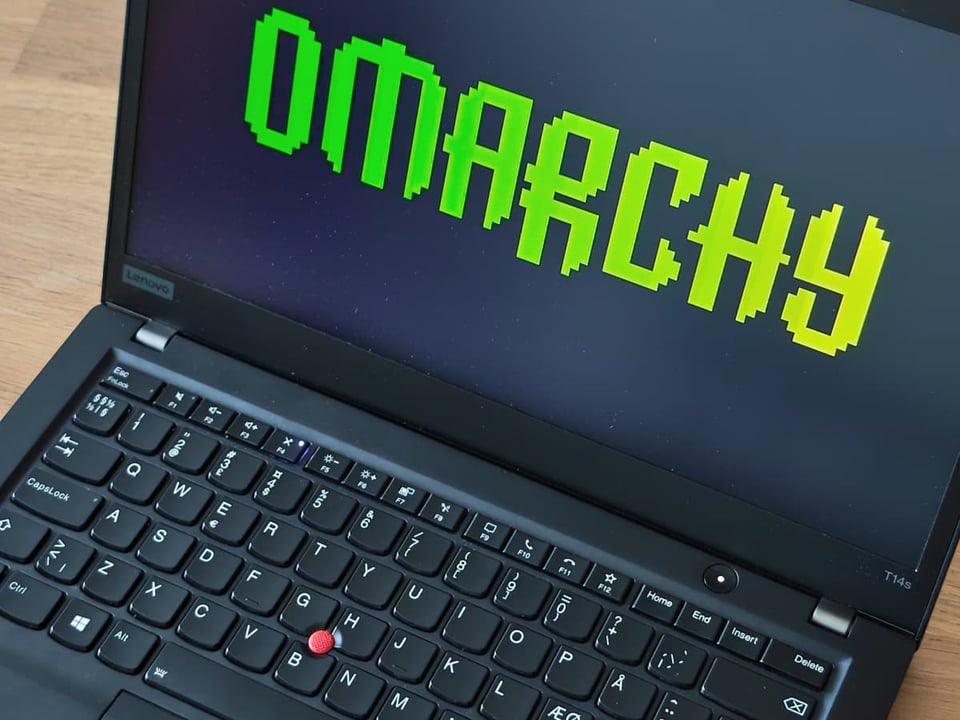
Disclaimer! It has come to my attention that @DHH, the creator of Omarchy (the subject of this post), recently published a controversial article regarding his views on the ethnic demography of London. I will not impose my political views on you; however, I will be uninstalling Omarchy and replicating the setup with another Linux solution.
Hi, I'm Kasper, a Web Designer. For the last two weeks, I've replaced macOS Tahoe with an opinionated Arch Linux distribution called Omarchy, and I’ve never been happier.
TLDR:
macOS Tahoe forced me into Linux
So, how did I end up running this obscure Linux thing? Well, it boils down to two things, starting with a classic lapse in judgment: I actually volunteered to upgrade my Mac to "Tahoe." I was genuinely looking forward to a fresh take on macOS, but my optimism was short-lived. To put it bluntly, it’s been a disaster. Between the visual bugs and design inconsistencies, it’s a level of sloppiness I’ve never seen from Apple.
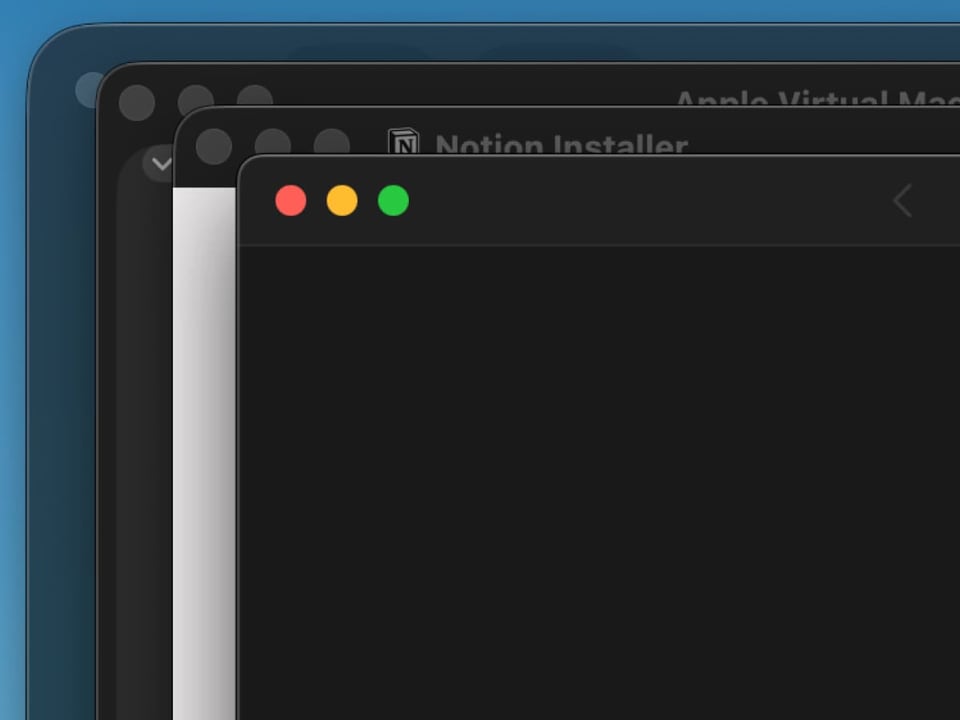
The inconsistent border-radii on the windows in Tahoe were killing me! There are as many different takes on the radius size as there are windows in the OS, and as far as I understand, it’s by design! Apparently, Apple explains that the border-radius depends on whether the app uses a sidebar, a toolbar, or just a title bar. Honestly, that makes no sense whatsoever; why would the inner content affect the outer border-radius?
So yeah, the varying border-radii are horrible, but what’s even worse is the wrongly nested border-radius within the windows! As any designer knows, UI design is essentially whitespace, typography, and border-radii (and on a good day, animations as well). But Apple has managed to f*** up at least two of those. Just look at this:
.jpg/960)
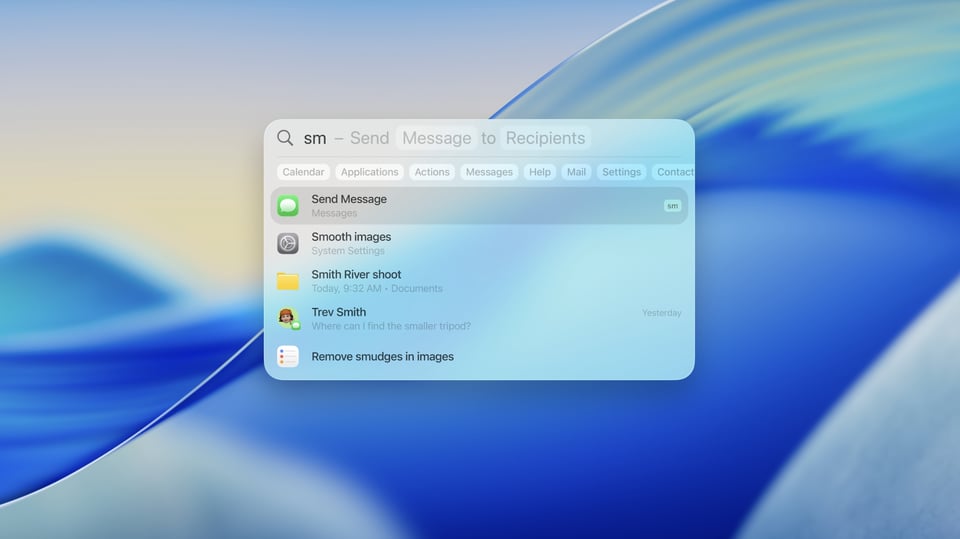
And just when you think your eyes can’t take any more, you open Spotlight and realize the designers at Apple have finally lost it. Look at the Fisher-Price theme! Look at the spacing between the headings and subheadings; look at the font weights. Forget AI slop — this is UI slop! Okay, maybe Spotlight isn't a crime exactly, but the many quirks add up, and I haven't even mentioned Liquid Glass — which I won't, as I think you get my point by now.
I can't stand these errors; they’re actually affecting my work. I was so desperate that when I found Tuna, a Spotlight alternative made by @mikker.dev, I immediately installed it. But sorry Mikkel, it wasn't enough to save macOS for me. The tool was lovely, but you’d need to fix the rest of Tahoe before my eyes could finally be at peace.
Beyond the OS itself, I have a decades-long habit of fussing over window alignment; I simply can't focus unless everything is perfectly positioned. While macOS has never excelled at window management, Tahoe makes it worse. It’s a frustrating combination of my need for symmetry and the new UI’s inconsistencies.
To some, obsessing over border-radii and window alignment might seem ridiculous. These are minor details that shouldn't, in theory, trigger this level of frustration. However, when you spend 8+ hours a day, 5-7 days a week, inside an operating system, that tool needs to be more than just functional — it needs to suit your specific needs.
Omarchy to the rescue!
So when I randomly encountered a video on YouTube about a new type of Linux distribution called Omarchy, I was all ears. The video featured the Danish software entrepreneur David Heinemann Hansen, known as @DHH, and showcased a Linux environment where window management is managed automatically and everything, down to the window border-radii, can be tweaked as easily. It addressed both of my Tahoe annoyances in one go! I felt like the stars had aligned; it was finally time for me to try a macOS alternative.
But "Linux is Linux", I reminded myself. It’s still an acquired taste that always comes with drawbacks eventually. You never know when, but you will run into issues. Then again, what’s a little fight with graphics drivers compared to burning your eyes out for eight hours a day? I was in, and I felt even more reassured after reading the Omarchy Docs:
It's true that developing an eye for the beauty of a TUI-heavy, theme-delighted, tiling-window-managed system like Omarchy can be an acquired taste. But that's why you're here, isn't it? To experience something a little outside of your comfort zone? To embark on a little bit of an adventure into a new way of working with computers? I hope so.
— Omarchy Docs
The 3rd reason I turned to Linux
As mentioned, Omarchy is the work of David Heinemeier Hansson, the man behind Ruby on Rails (the "one-hit wonder" powering Shopify), 37signals, the email client Hey, and the project management system Basecamp. I’m no fanboy, and I don’t actually use any 37signals products, but I acknowledge his impact on the software world. Plus, we’re both Danes; we have to stick together these days.
That shared heritage might actually be the third reason Omarchy feels like my kind of OS. In a world where the US has finally shown its true colors; threatening European sovereignty, spying on our governments, and manipulating populations through social media, replacing an American OS with an open-source alternative feels long overdue. It isn’t the primary driver behind my switch, but it certainly helps knowing Omarchy isn't in the hands of the American oligarchy.
Wow, that turned political all of a sudden. Back to the tech, please!
First, you buy a new laptop
I normally use a 15" MacBook Air M2 and a smaller 13" model, but when I first looked into Omarchy, a stable solution for Apple Silicon wasn't yet available. I know there are projects in the works (have a look at Asahi Alarm, but I took the lack of obvious and straight-forward M-series support as a perfect excuse to buy some new hardware.
I briefly considered Framework laptops but quickly realized they’re marketed for "serious computing" rather than just messing about. So, where else to turn but ThinkPad? I’ve always loved their aesthetic, that intentional "ugliness" and ruggedness, plus their Linux support is top-notch. I picked up a second-hand T14s Gen 1 (16GB, AMD Ryzen Pro 7) for $450.
The installation process was disappointingly easy. I’ve installed plenty of distros before; Ubuntu, Mint, Pop!_OS, Raspberry Pi OS, and every time, I had to suffer through a semi-broken process where only 80% of the OS worked out of the box. This was different.
Full disclaimer: I’m not a "full-blooded" designer; I’m an engineer as well. Not a software engineer though, no, I’m a cross-breed of mechanical engineering and industrial design. Today’s kids call it a Design Engineer (a term originating from TU Delft in the Netherlands, not the sloppy "software" version used today). So, while I’m not formally schooled in IT, I know my way around a computer.
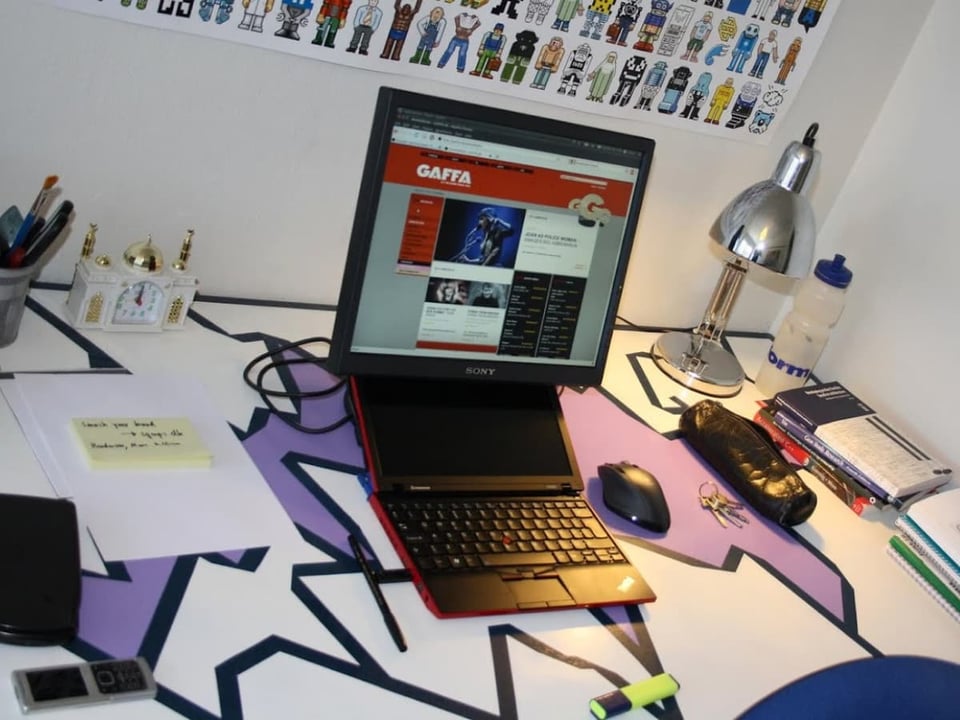
Back during my time at the Technical University of Denmark (DTU), I rocked the cheapest ThinkPad imaginable; a red ThinkPad x100e! It shipped with Windows, but the performance of the tiny machine was so horrible I had to install Ubuntu just to make it usable.
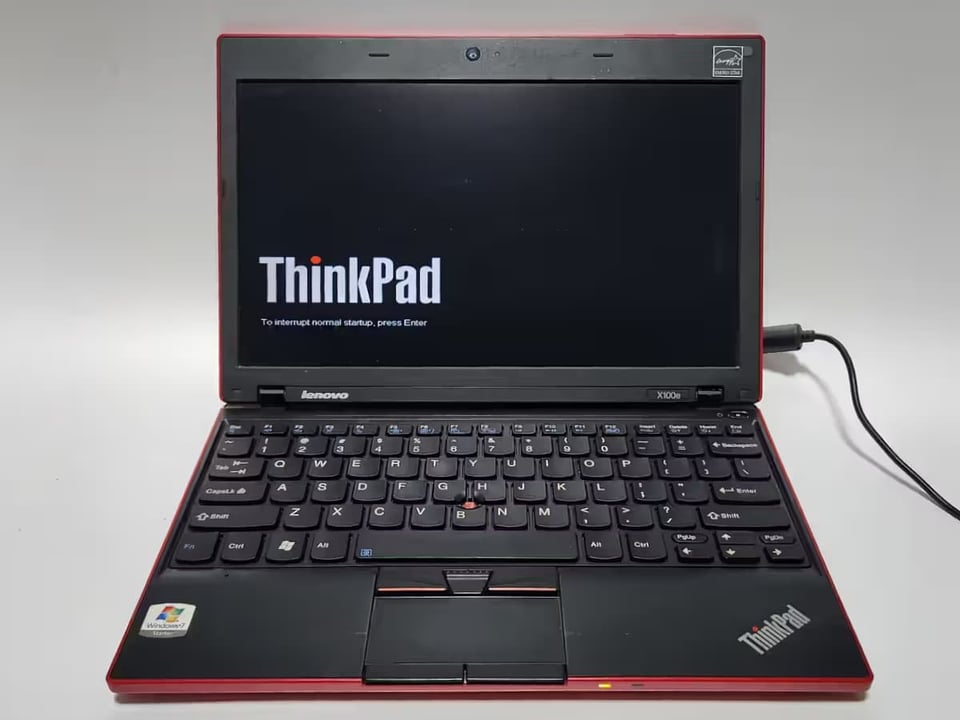
Installing Omarchy and running it for the first few days took me right back to that time. A time with less turmoil, fewer responsibilities, and plenty of time to mess around with tech. I miss those days, but installing and booting up Omarchy brought that feeling back. Using tech for the sake of tech, not for a client or a paycheck, but simply because it's fun to explore new things.
All hail the keyboard!
So, how is Omarchy? Well, I soon realized that all the troubles I expected to encounter never materialized. The installation process was swift, and everything worked out of the box. Boring, perhaps, but nice. Navigating the OS felt intuitive — dare I say, even fun.
Omarchy comes with a curated set of preinstalled apps and settings so you can hit the ground running. The selection was mostly to my liking, even though DHH did preinstall some 37signals software that I don’t use. Removing those and installing my own apps was perfectly straightforward.
The major difference between Omarchy and any other OS is its use of a combo-box for launching apps, installing or removing software, connecting to Bluetooth devices, and selecting themes. You never really spend time using your mouse to toggle various settings; it’s all done via the keyboard.
DHH spends a lot of time promoting the unified look and feel of Omarchy. Theming has been implemented so that your chosen style affects your code editor, browser, file manager, and more. This is cool, but it isn't really what drew me in. For me, the draw is the window management — the way every window takes up the maximum amount of available space. No window is ever placed on top of another, meaning you don't spend a single second arranging or resizing them with your mouse.
This style of window management is difficult to explain; it really needs to be experienced. It doesn't even make sense to share screenshots of me using Omarchy since I typically run just one app per workspace, but here is a shot of this article being written in the Markdown editorIotas.
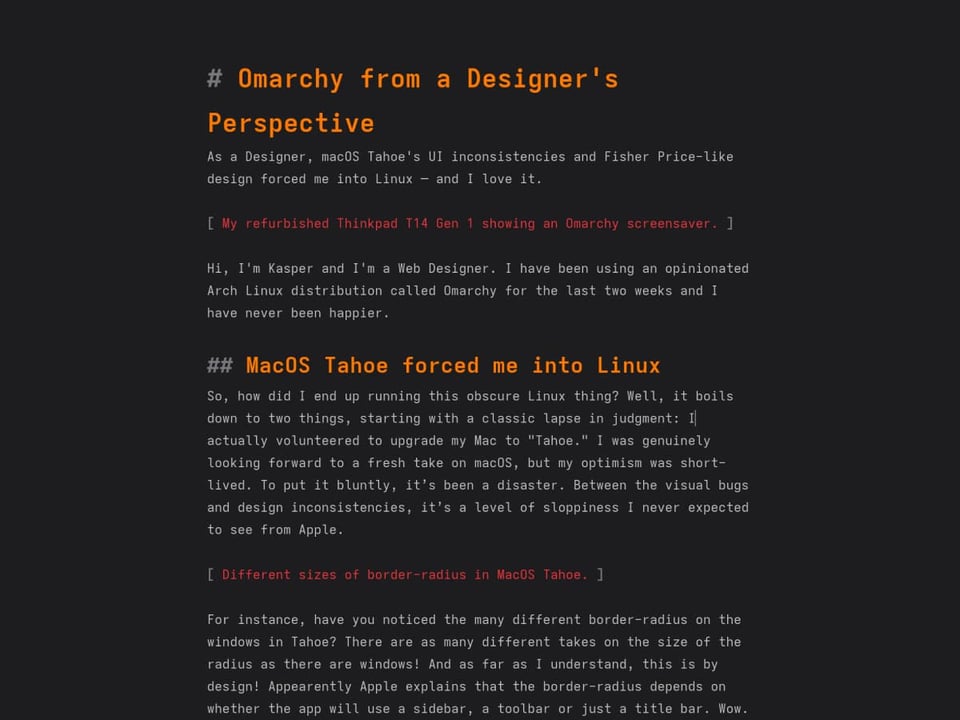
"But Kasper, you’re just running apps in fullscreen!" No, I’m actually not. Look at the screenshot below: there is no dock, no top bar, and no window borders — yet the window is not in fullscreen mode. It simply takes up all the available space. Lovely!
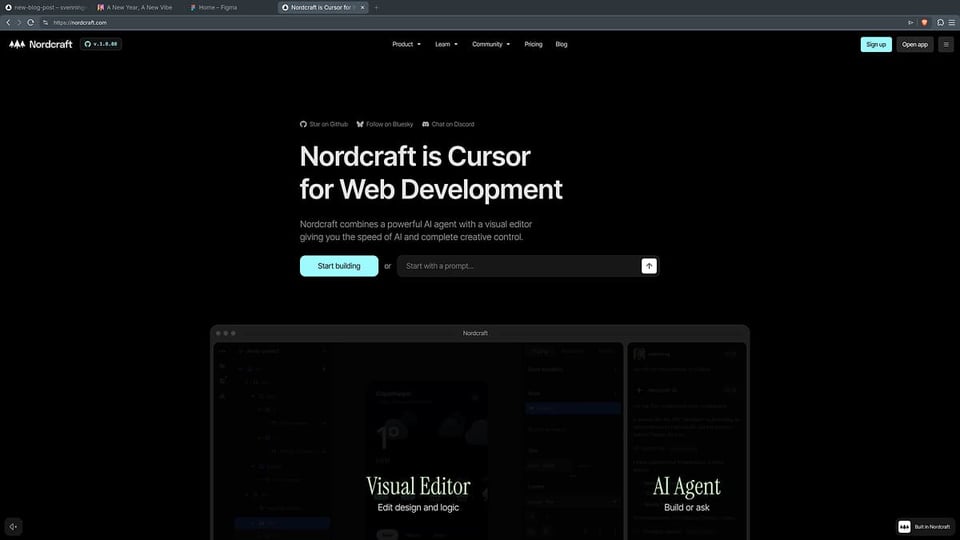
Here comes the twist: the thing I like most about Omarchy isn’t actually an Omarchy accomplishment. The true star of the show, the engine behind that seamless window management, is a service called Hyprland. Much of Omarchy's "wow factor" boils down to DHH’s curation of Hyprland and other excellent Linux workspace tools. But here is the thing: without Omarchy, I would never have discovered Hyprland and the other tools in the first place. Without spoiling my conclusion just yet, this might be the true impact of DHH and Omarchy: highlighting the hidden gems to be found within the Linux ecosystem for us casual users.
Try out this mini demo of the Hyprland "dwindle" window arrangement system below, allowing you to tweak window gap and radius just like on Omarchy. Notice how the windows get smaller and smaller as you add them.
Gap
Radius
Windows (0)
But! Beneath its beautiful appearance and great usability, Omarchy is still (Arch) Linux — with all the associated ups and downs. When you tinker with your setup (and you will end up tinkering), you still run into classic Linux hiccups where one changed line of code crashes the machine. But once again, Omarchy is there to save the day. When you mess up your settings, the built-in snapshots allow you to go back in time and boot from a previous state. It’s a lifesaver for excessive Hyprland config changes or, in my case, trying to install DaVinci Resolve.
The OS to end all OSs?
So, is Omarchy the ultimate OS? For me it might be. However, there’s still no proper alternative to Screen Studio for creating high-end screen recordings, so I will have to run macOS on the side to do video tutorials. But otherwise? Yes. Give it a go. Annoyingly, installing Linux is no longer the cumbersome nightmare it was ten years ago, when only 50% of your hardware seemed to work out of the box. Omarchy lets you hit the ground running, and if you are up for tinkering, you’re only a few clicks away from that classic DIY Linux experience.
But all its loveliness aside, it’s still not for everyone. I recently stumbled upon the article "I went back to Linux and it was a mistake" from The Verge (behind a pay wall). The author argues that even a "user-friendly" distro like Ubuntu still has too many weird quirks to be a true replacement for macOS or Windows. I want to highlight the subheader of that article, which I think is fantastic and still holds true regarding Omarchy:
I don't need a hobby, I need an OS.
— The Verge
There is a deep truth in that. While running a fresh OS is all fun and games in the beginning, eventually, you will run into trouble. And when you’re a Design Engineer with deadlines looming, "trouble" can feel a lot like a second job you didn't apply for.
However, after two weeks, I’ve realized that the "hobby" part of Omarchy, the tweaking of Hyprland configs and the mastering of the command palette, actually makes the "work" part more efficient. By stripping away the UI slop and the Fisher-Price inconsistencies of macOS Tahoe, Omarchy has cleared the mental clutter. I might have accidentally adopted a new hobby, but in return, I finally got the OS I was looking for.
A final word from the devs
I've been boasting about my newly acquired Linux habits at the office to the great discomfort of my dev colleagues, resulting in my Co-Founder at Nordcraft, Andreas Møller, sharing an article from xn--gckvb8fzb.com (and oh wow, look at that URL — this guy must know everything about computers) highlighting the "wrongdoings" of DHH and Omarchy:
[The] Omarchy ecosystem is held together by often poorly written Bash scripts that lack any structure, let alone properly defined interfaces. Software packages are being installed via curl | sh or similar mechanisms, rather than provided as properly packaged solutions via a package manager
— xn--gckvb8fzb.com
And of course, he’s right. DHH has swooped in, cherry-picked the cool stuff, applied a bit of makeup, and shipped it under a silly name without following the strict protocols of Linux (of which I know absolutely nothing). But none of that matters. No, it doesn't — not right here, right now. As an end-user, I experience zero drawbacks from DHH failing to use "properly defined interfaces" (whatever those are). I assume this "computer guy" is highlighting real issues, but that’s a risk I’m more than willing to take.
I can see how it must be infuriating for a Linux die-hard to witness the sudden popularity of Omarchy when so many properly built, yet invisible, distros came before it. But maybe this perfectly highlights why Linux still isn't gaining traction among casual users. It’s in desperate need of "sexy" packaging and promotion. "But that's not how we do it in Linux land!" I hear a choir of angry DevOps engineers growl. No, but maybe it should be. Maybe the "vibe bros" are right, and it really is "AlL aBoUt diStRibuTion."
When you have a product as fantastic as Linux, someone needs to do it justice in terms of marketing. I think that is DHH's real contribution: not his curation of software, but his ability to finally wrap Linux in the kind of packaging that lets its amazing features shine. For that, I thank him. And above all, I thank him for addressing my real issues: properly aligned windows and equal border-radii.
PS. The Omarchy screensavers are amazing and worth the install alone!